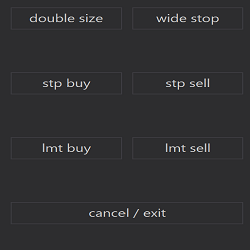
Pro version of Precise Entries adds limit order buttons, entry/exit screenshots, and CSV trade logging with detailed stats like initial and actual risk.
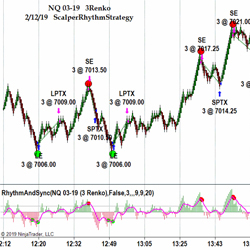
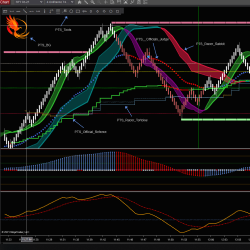
When the ScalperNinja and the Rhythm Indicator generate a signal and both are in sync for a predefined number of bars, the RhythmStrategy enters an order. Both work independent of each other and the Rhythm Indicator can also be used on its own for manual trading.
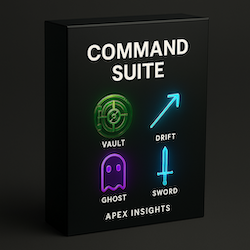
The Command Suite delivers five precision-built bots—axis, vault, drift, sword, and ghost—plus the vision smart money indicator. Designed for breakouts, reversals, momentum, and sweeps. Dominate the market—start your free trial today!
Master market value zones with our professional Session-Anchored VWAP indicator. It features stable deviation bands, customizable session anchoring, and institutional-grade analysis.
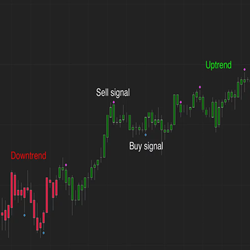
The Q-Indicator provides visual signals of overbought or oversold conditions in the market. Users can enter trades manually or use the indicator in an automated system to take advantage of the various market imbalances.
Daily Nasdaq & S&P 500 analysis with key levels, scenarios, bias & strategies. Premarket & after-hours insights, charts, and guidance via private Telegram. Educational only, not financial advice. 5-day free access available.
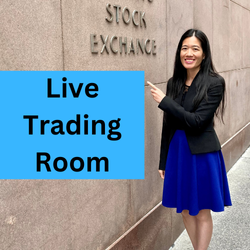
Live trading room for ES S&P 500 day traders. Based on Rose’s Fibonacci trading system, charts are posted and price action shared. Previous trades are reviewed so that students can improve. Discord chat room goals: help students become independent traders & provide a supportive community.
This four-part offering consists of an indicator package, a training program covering the use of indicators & fundamentals of trading mindset, a video library of online sessions, and membership in the Phoenix Traders Support Group. See website for 5% discount on first purchase.
Traders will input accounts, a loss limit and optional take profit limit. When any trade is opened- TradeLock monitors the PnL, tracks any new highs and adjusts the stop based on the high of the trade. Once either limit is hit, TradeLock automatically closes positions and locks trading activity.
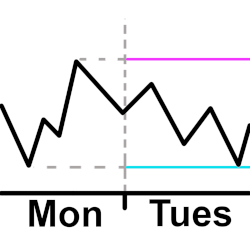
Plot a horizontal line for the high and low from the previous intraday. The user configures the open and close time they want to use for the intraday hours. This means the user can plot the high and low starting 30 minutes before the actual open and after the actual close if they want to.